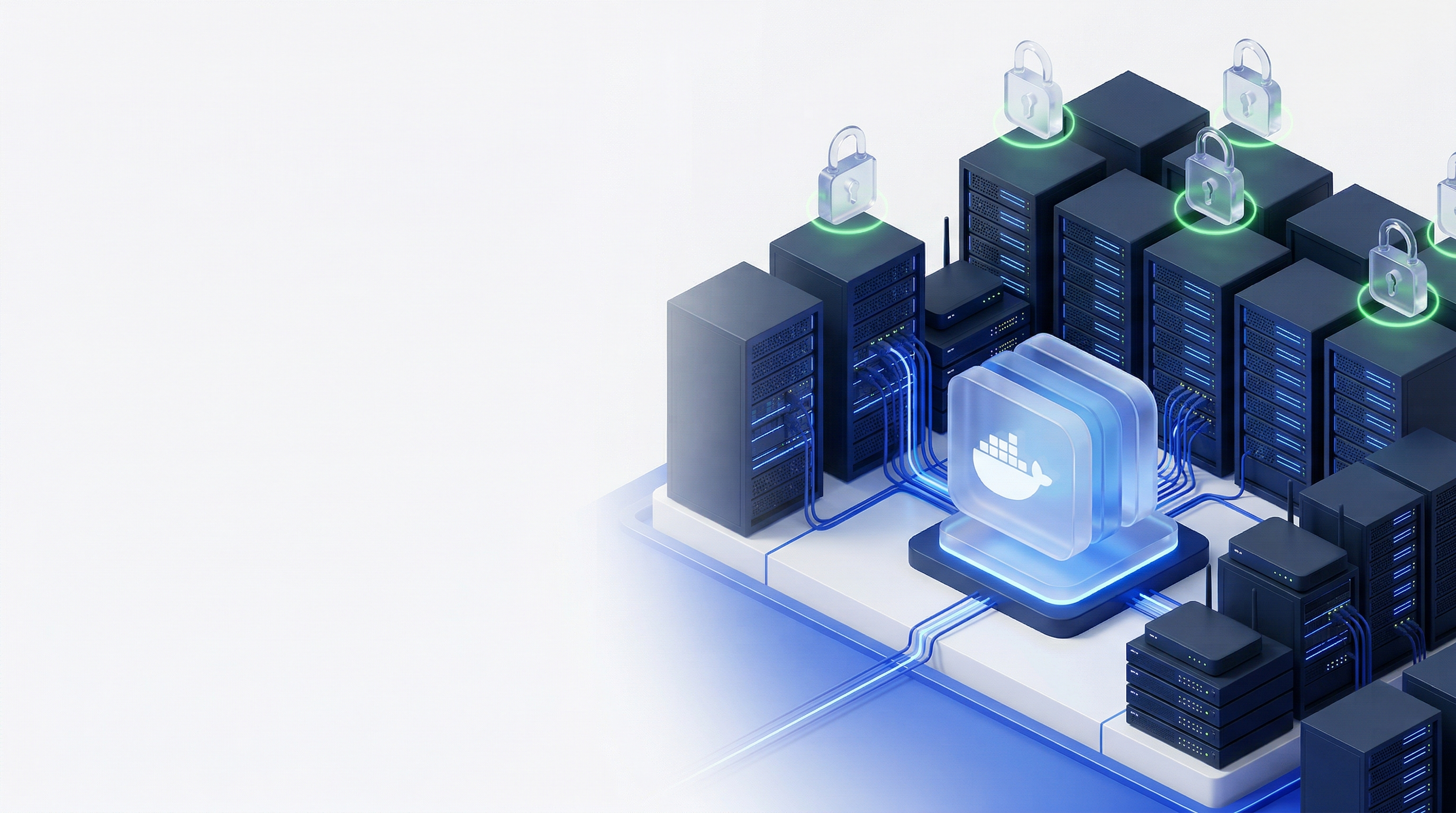
Free for up to 5 endpoints
All your SSL, On‑Premise
Discover, monitor and renew all certificates behind your firewall. Your data stays on the appliance, and Cloud cannot fetch or see it.
Free certificates from Let's Encrypt and Google. Visible source code. No vendor access to your environment. All data encrypted and on your own infrastructure. No supply chain risk.
No credit card required
 Built by FairSSL, a Danish company that has supplied certificates to municipalities, regions, hospitals, and enterprises for 16 years.
 Certificates for the equipment you already run
sslbrain gets the certificates from the CA you choose and installs them on servers, network equipment and cloud services. Click an integration to see how the certificate gets there.

Control, keys and data on-premise
EU company & cloud
Certificate authorities



Firewall and VPN
- Barracuda CloudGen Firewall
- Check Point HTTPS Inspection
- Cisco ASA / ASAv
- Cisco Secure Firewall (FDM)
- Cisco Secure Firewall (FMC)
- Fortinet FortiGate
- Fortinet FortiManager
- Fortinet FortiWeb WAF
- Ivanti Connect Secure
- Juniper SRX / vSRX
- OPNsense
- Palo Alto Networks PAN-OS
- pfSense
- SonicWall SonicOS
- Sophos Firewall
- WatchGuard Firebox











Load balancer





Cloud service





Storage and virtualisation






Apps and databases




Mail server

Web server


Basics

Identity and remote access
Get early access
Join the list and we'll let you know when your edition is ready.
Everything you need for certificate management
One appliance. All your certificates. Fully automated.
Discover
Scan your network to find every certificate. Know what you have, where it is, and when it expires.
Automate
Issue and renew certificates automatically. No manual steps. No expired certificates. No outages.
Deploy
Push certificates to IIS, Apache, Nginx, and more. Agents handle the last mile on every platform.
Some of our supported CAs

 Windows CA
Your certificates, your servers, your network
Certificate automation requires admin credentials to your firewalls, load balancers, and servers. Those credentials cannot exist in someone else's cloud. sslbrain runs inside your network.
Credentials stay local
SSH keys and API tokens stay on the appliance. DNS API credentials can stay on your network. The calls go directly or through our proxy with TLS all the way to the DNS provider, so Cloud cannot read them. If you want to use ACME clients directly against Cloud, you can choose to store them in Cloud.
Encrypted vault
XChaCha20-Poly1305 encryption. The decryption key exists only in memory, never on disk.
Fixed IP addresses
Only sslbrain needs outbound access to Cloud. Minimal firewall configuration.
One appliance for everything
IIS, Nginx, Apache, Exchange, FortiGate, and NetScaler from the same dashboard.
How sslbrain fits together
The sslbrain appliance runs in your network and keeps track of the certificates. This is how the parts fit together, in six steps. Tap the drawing to see it large.
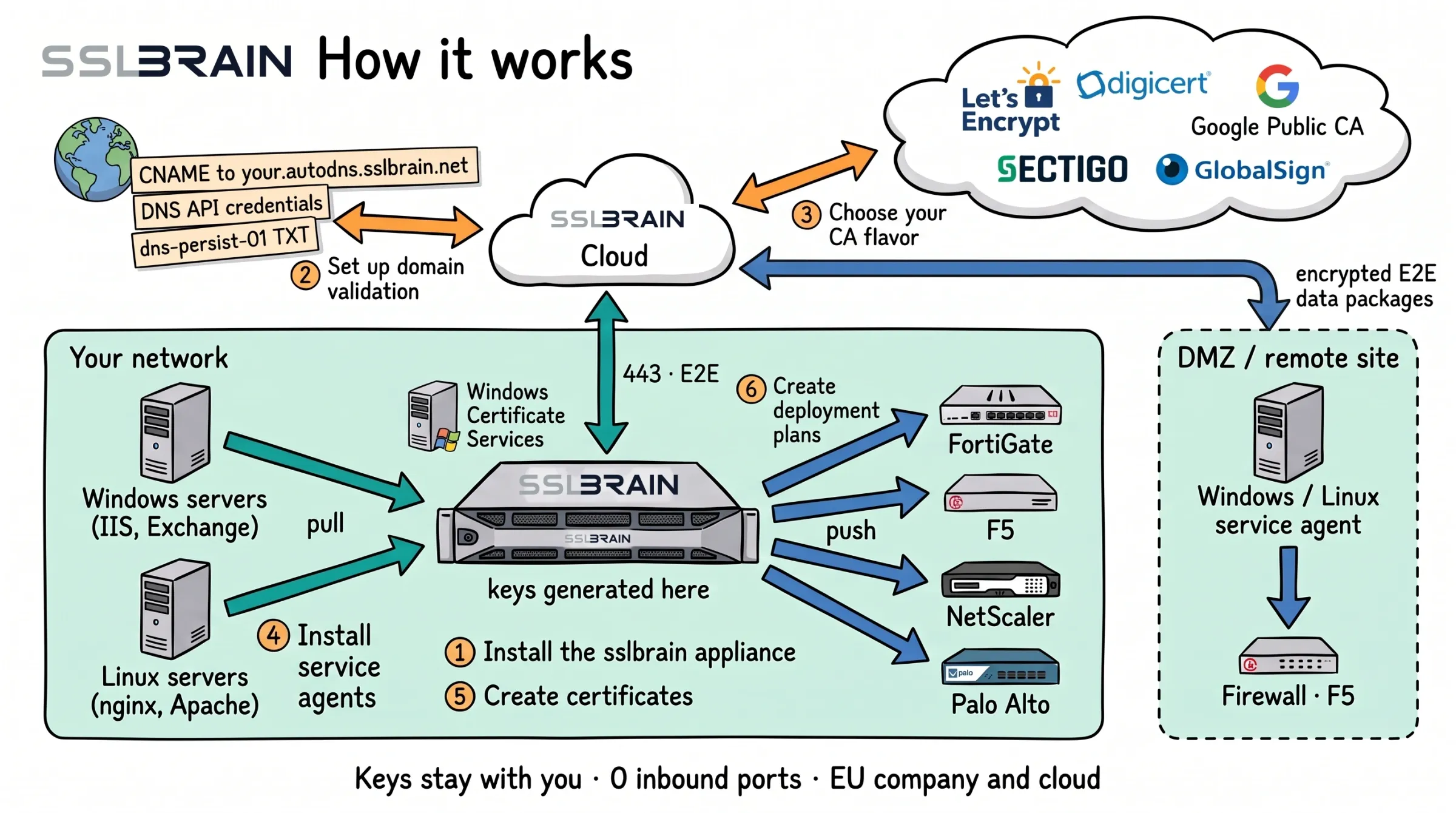
- Install the sslbrain appliance in your network. Private keys are generated here, and sslbrain Cloud never sees them.
- Set up domain validation: a CNAME to your.autodns.sslbrain.net, access to your DNS provider’s API, or a dns-persist-01 TXT record.
- Choose your CA: Let’s Encrypt, DigiCert, Google Public CA, Sectigo or GlobalSign, or your own Windows Certificate Services.
- Install service agents on Windows and Linux servers. They fetch their own certificates from the appliance; in a DMZ or at a remote site through sslbrain Cloud.
- Create certificates. sslbrain Cloud talks to the CA and to DNS; the appliance talks only to sslbrain Cloud, outbound on port 443.
- Create deployment plans: the appliance delivers to FortiGate, F5, NetScaler, Palo Alto and other equipment without an agent.
How it works
Three steps to automated certificate management.
Install the appliance
Download the appliance for VMware, Proxmox/KVM or Docker and start it in your own network. In the setup wizard you link it to your sslbrain Cloud account, choose a licence and store the 12 backup words.
- No inbound ports open from the internet
- The setup wizard in the browser does the rest
Choose a platform
- VMware vSphere, ESXi, Workstation, Fusion OVA
- Proxmox and KVM Proxmox, KVM, libvirt qcow2
- Docker on your own Linux server install script
Virtual appliance: 2 vCPU, 4 GB RAM, 40 GB disk
Add servers
Windows and Linux servers get the service agent, which installs the certificate in the service that uses it. Network devices and cloud services get the certificate straight from the appliance over their API or SSH, with no agent.
- The service agent fetches its own tasks over outbound HTTPS
- The Windows agent can be rolled out with GPO, SCCM or Intune
With the service agent
Windows and Linux servers
- IIS
- Exchange
- ADFS
- RDP
- Apache
- Nginx
- Tomcat
- and more
No agent, over API or SSH
Network devices and cloud services
- F5 BIG-IP
- FortiGate
- NetScaler
- Palo Alto
- Azure Key Vault
- AWS ACM
- and more
Automate your first certificate
Order a certificate for a domain. From then on sslbrain handles validation, issuance, installation and renewal. Validation runs over DNS, so the server does not have to be reachable from the internet.
- Free certificates from Let’s Encrypt and Google Trust Services
- DNS validation with CNAME delegation (Auto-DNS) or your DNS provider’s API
- Ordering from the CA, through sslbrain Cloud or from your Windows CA
- Validation over DNS, also for servers behind a firewall
- Installation by the service agent or directly on the device
- Renewal in good time before the certificate expires
Automate your certificates
Community is free for up to 5 endpoints. Join the list and we will tell you when sslbrain opens.